AI Age Progression Video
An AI age progression video starts with one face and asks it to change over a few seconds: wrinkles appearing, hair turning grey, or the years running backwards toward a younger look. It is a striking idea, and you should know up front that the models on Image2Movie were not built for it. Kling 2.5 Turbo Standard and MiniMax Hailuo 02 are made to add motion, not to transform a person, so results range from convincing to barely changed. Here is how to give it the best chance.
Examples
Each clip starts from a single photo. Click Play on a picture to watch it. The caption is the title and the prompt.

Man Age Progression“His face gradually ages into a man in his seventies with grey-white hair and wrinkles, identity, expression, clothing and framing preserved throughout, static camera, photorealistic age progression, no text, no logos, no watermark” 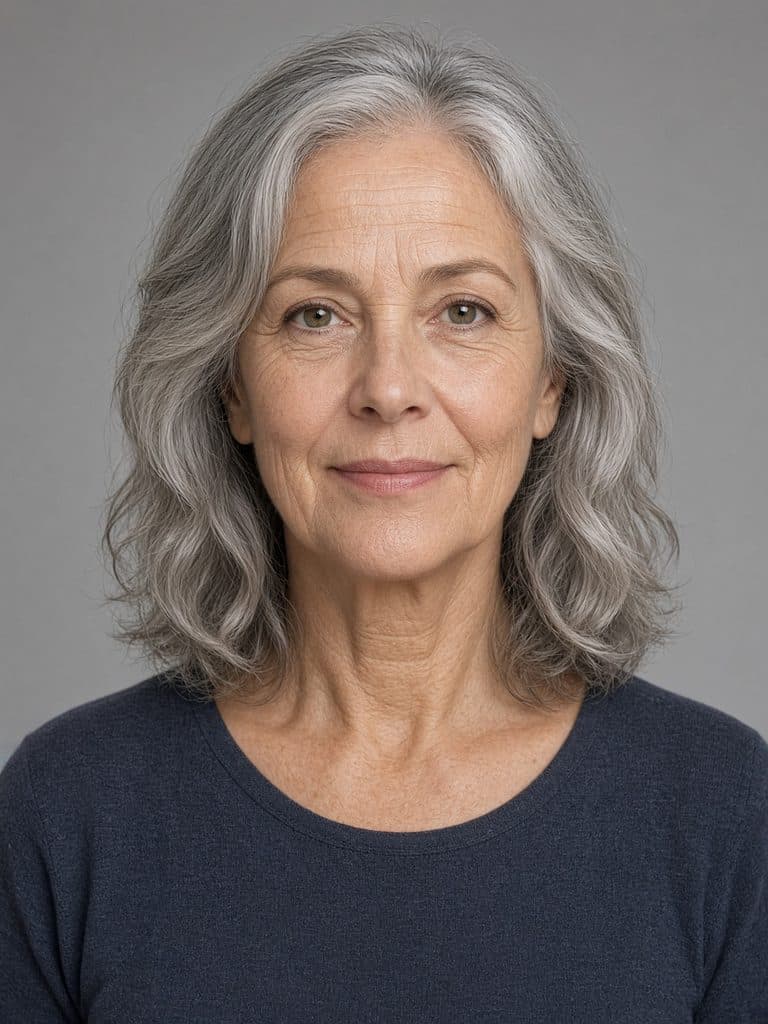
Woman Age Reversal“She gradually becomes younger, ending as a woman around her mid-twenties who is clearly an adult, never a child, identity, expression, clothing and framing preserved throughout, static camera, photorealistic age reversal, no text, no logos, no watermark”
What the models do with an aging prompt
When you ask for aging, the model tries to change the face gradually from the first frame to the last while keeping the person recognizable. Sometimes that works: a few grey streaks, deeper lines around the eyes, slightly thinner skin. Often, though, one of three things happens instead. The face barely changes, because the model sticks closely to your photo. The change arrives in a sudden jump rather than a smooth progression. Or the person turns into someone else partway through. A clip of 10 seconds or less is also a short time to cover decades, so even a good result shows a hint of aging rather than a whole lifetime.
Photos that give it the best chance
- A clear, front-facing portrait. The face should fill a good part of the frame, evenly lit, with no sunglasses or heavy shadows.
- A neutral expression. Big smiles and open mouths make it harder for the model to keep track of the face while it changes.
- A plain background. The model may age the surroundings too; a simple backdrop keeps the attention on the face.
- An adult starting point. Aging a child’s photo asks the model to invent an adult face from scratch, and the result rarely resembles anyone real.
- Your own photo, or one you have permission to use. A changed face is still that person’s likeness.
Photos that tend to fail
Aging fails when the model has to invent a face instead of nudging the one you uploaded.
| Photo | Why it fails | What to do instead |
|---|---|---|
| More than one face | The wrong person may age, or the two faces age at different speeds. | Crop to a single head and shoulders. |
| Face too small | Grey hair and fine lines need pixels. A distant face has none to spare. | Fill the frame with the face, evenly lit, looking toward the camera. |
| A hand on the chin, or fingers in the hair | As the face changes, the fingers warp and can fuse with the cheek. | Use a portrait with the hands outside the frame. |
| Low resolution, heavy blur or a beauty filter | The model ages the blur or the filter, and the person stops looking like themselves. | Start from a clear, unfiltered photo. |
| Sunglasses, a mask or deep shadow | Hidden features are invented while the face changes, so the likeness slips. | Use an evenly lit, front-facing face with the eyes visible. |
| A child, or a request to jump many decades | The model would have to draw a different person, which it was not built to do. | Ask an adult portrait for a small change, and expect a hint of age rather than a whole lifetime. |
Prompts for older and younger
Name the direction, keep the pace slow, and tell the camera to stay still so the change is the only thing happening. Use the 10-second length. It costs 2 credits instead of 1, but it gives the transformation more room.
Gradually older
Over the clip the person slowly ages, hair turns grey, fine wrinkles appear around the eyes and mouth, same person, same expression, static camera
Repeating “same person” helps the model hold on to the identity.
Gradually younger
The person’s face slowly becomes younger, skin smooths, hair becomes fuller and darker, same person, same pose, the camera does not move
Expect a softer version of the same face more often than a true younger self.
Subtle aging
Very slowly, a few grey hairs appear and the lines on the face deepen slightly, the person blinks naturally, static camera
Asks for less, so it fails less often.
Temples only
Grey appears slowly at the temples and nowhere else, the same person, the same expression, the same pose, static camera
A smaller change is more likely to keep the identity than aging the whole face.
A little younger
The same adult looks slightly younger by the end, skin a little smoother and hair a little darker, no change of pose, camera still
Asks for a hint, not a return to childhood. Childhood is where the likeness usually disappears.
Lines at the eyes
Fine lines slowly deepen at the outer corners of the eyes, the mouth and hair stay the same, the person blinks once, static camera
Naming one area of the face gives the model less room to redesign the person.
Honest limits
If you need a reliable before-and-after, a video model is the wrong tool. Photo editing apps that age a still image let you check the result before anyone sees it. What image to video adds is the motion between two states, and these models don’t guarantee that motion. Expect to try a few times, and don’t be surprised if one model handles your photo better than the other. Never present the result as a forecast of how someone will really look. It is a generated guess, not a prediction.
Treat it as an experiment: one clear portrait, one slow prompt, and the longest clip length.
Back to the generatorQuestions about AI age progression
Can it reliably age a face?
No, and we would rather say so up front. Kling 2.5 Turbo Standard and MiniMax Hailuo 02 are motion models, and aging is not something they are designed for. Some attempts show a convincing gradual change, many show very little, and some lose the person’s likeness. Treat it as an experiment, not a feature that works every time.
Can it make someone look younger?
You can ask for it, with the same caveats as aging. Expect a softer, smoother version of the same person more often than a convincing younger self, and expect some attempts to change very little. A clear front-facing photo and the 10-second length give it the most room to work.
Why does the person turn into someone else?
Each frame is generated rather than edited, so as the face changes, the model can lose track of who it was. The bigger the change you ask for, the more likely that is. Ask for subtler aging, keep “same person, same expression” in the prompt, and hold the camera still so the face stays in one place.
How long should the clip be?
Use 10 seconds for an age change. It costs 2 credits instead of 1, but it gives the transformation time to happen gradually. In a 5- or 6-second clip, the change tends to look abrupt or barely starts. Neither model makes clips longer than 10 seconds.