AI Image to Video Generator
Turn a still photo into a moving clip with an AI image to video generator. Upload a JPG, PNG or WebP, describe how the subject or the camera should move, and get a 5 to 10 second MP4 back, usually within one to three minutes. Two models are available, Kling 2.5 Turbo Standard at 720p and MiniMax Hailuo 02 at 768p, and your first generations each day cost nothing: every visitor gets 3 free credits, and a short clip uses one of them.
Sample clips
One clip is a product, one is an old photograph, and one is a living room. Click Play on a picture to watch it. The caption is the title and the prompt.

Ceramic Mug Steam“Soft steam rises continuously from the sage-green ceramic mug, morning window light shifts very slightly across the oak table, camera makes a very slow gentle push-in, photorealistic lifestyle motion, no text, no logos, no watermark” 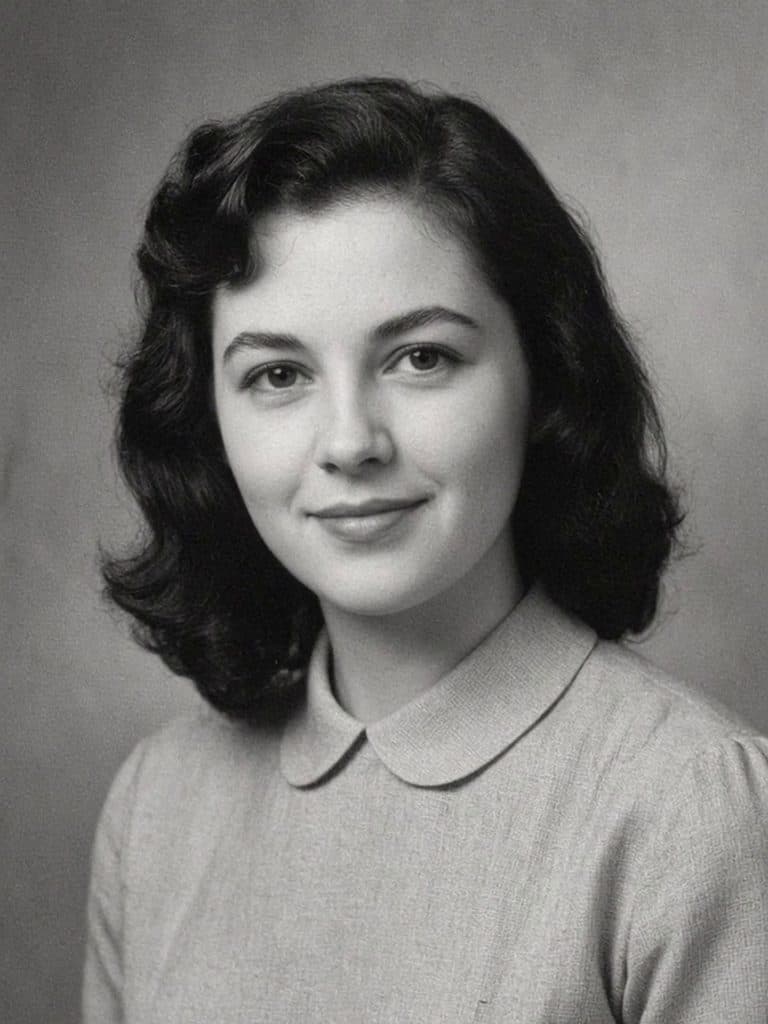
Vintage Portrait Motion“Subtle natural head movement, a natural blink, very slight softening of the smile, the portrait stays strictly black and white with film grain and paper texture, almost static camera with a very slow push-in, modest and tasteful, no colorization, no text, no logos, no watermark” 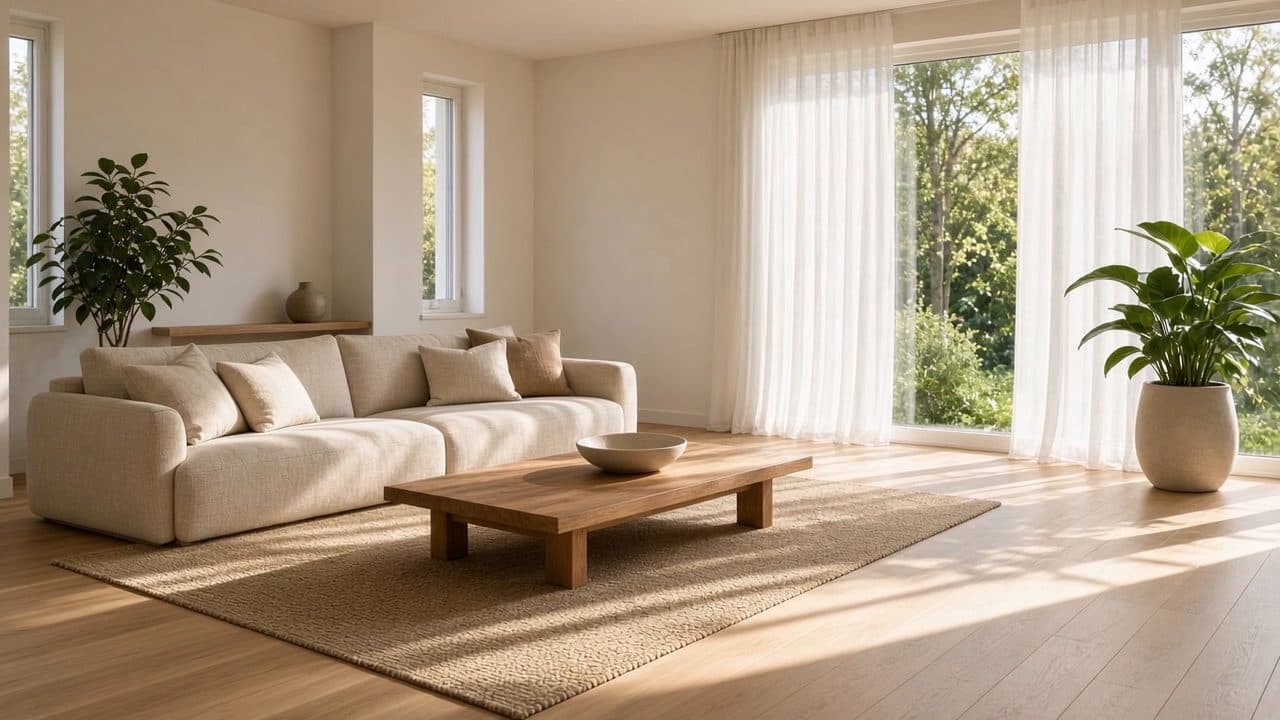
Sunlit Living Room“Slow lateral camera glide across the living room, sheer curtains drift slightly in a breeze from the windows, late-afternoon sunlight stays warm and consistent, dust motes in the light, photorealistic architectural motion, no text, no logos, no watermark”
How image to video works
- Pick a photo and a frame. Choose a picture with a clear subject, then keep its framing or crop it to 16:9, 9:16 or 1:1. Cropping, and resizing to 1920 pixels on the long edge, happen in your browser before upload.
- Say what should move. Write a sentence about the subject’s motion and the camera’s. Leave the box empty and the tool asks for gentle, natural movement with a slow push-in.
- Let the model render. The model treats your photo as the opening frame and predicts the frames that follow. You see your place in the queue, then play the clip and download the MP4.
What people use it for
- Product shots. A bottle, a sneaker or a watch gets a slow orbit or a sweep of light, which holds attention longer than a still image in an ad. How to write that orbit is part of making a photo move.
- Portraits with subtle motion. A blink, a breath and a few moving strands of hair make a headshot feel present without changing who is in it. The portrait page for a face that looks a little older or younger is AI age progression.
- Old photos. Scanned family prints take a gentle head turn and a slow camera drift; the guide to animating old photos covers scanning and prompts.
- Real estate and e-commerce listings. A slow dolly through a living room or a push-in on a storefront adds movement to a listing without a video shoot. A dolly and a push-in are camera moves, which making a photo move treats separately from motion inside the scene.
- Social clips. Choose 9:16 and the tool crops your photo for Reels, Shorts or TikTok. You can use that frame for a photo to dance clip.
Prompt notes for each effect, with a starting prompt filled in, are on the AI photo effects page.
How to write a motion prompt
The model already knows what your scene looks like, so the prompt only has to say what changes. Name one main movement, say whether the camera moves, and use plain physical words instead of moods. If you pick MiniMax Hailuo 02, its prompt optimizer may rewrite your text before rendering, so keep the core instruction simple.
| Effect | Write this | Not this |
|---|---|---|
| Subtle motion | “subtle hair movement, natural blinking” | “make it alive” |
| Push in | “slow push in, subject stays still” | “zoom in while she waves and the car drives away” |
| Orbit | “camera orbits left around the subject” | “camera moves” |
| Subject action | “she smiles and turns her head slightly” | “dance, run, jump” |
Models and output specs
Both models start from your photo and return a silent MP4 whose frame shape follows your photo or your crop. Kling 2.5 Turbo Standard is the default, with smooth, natural motion; MiniMax Hailuo 02 is strong at camera moves and physical motion such as water or fabric. Free credits refresh 24 hours after your first generation, and downloads never carry a logo. The page on image to video without a watermark explains what that covers.
| Model | Length | Credits | Resolution |
|---|---|---|---|
| Kling 2.5 Turbo Standard | 5 sec | 1 | 720p |
| Kling 2.5 Turbo Standard | 10 sec | 2 | 720p |
| MiniMax Hailuo 02 | 6 sec | 1 | 768p |
| MiniMax Hailuo 02 | 10 sec | 2 | 768p |
Image to video vs text to video
Text to video models start from a description alone, so they choose the faces, the room, the light and the product for you. That suits ideas you can’t photograph, but it makes the same person or object hard to get twice. Image to video starts from a picture you already have: the look of the scene is fixed, and the model only invents the motion. It is the better choice when the subject must stay recognizable. Image2Movie only does image to video today, so every generation starts with a photo.
What it does well — and what it doesn’t
Expect good results from one clear subject, natural forces like wind, water, smoke and light, and steady camera moves. Trouble shows up in predictable places. Hands, especially several in one frame, can merge or grow extra fingers. Text in the photo, such as signs and labels, warps once the camera moves. Continuous actions are the biggest limit: a clip lasts at most 10 seconds, so anything that needs longer, like a dance routine or someone crossing a room and sitting down, comes out rushed or distorted. When a result goes wrong, simplify the prompt before changing the photo.
Questions about image to video
Is this image to video tool free?
Yes, and without an account or a card: each visitor gets 3 free credits a day. A 5 or 6-second clip uses 1 credit and a 10-second clip uses 2, so you can make up to 3 short clips a day. Paid plans are planned for people who need more, but nothing is on sale yet and we never ask for payment details.
What image formats and sizes are supported?
You can upload a JPG, PNG or WebP image of up to 20 MB, as long as its shorter side is at least 300 pixels. Before upload, your browser converts it to JPEG, shrinks anything larger than 1920 pixels on its longest side, and strips location and camera data (EXIF). iPhone HEIC files are not accepted, so convert them to JPG first.
How long does a generation take?
Usually one to three minutes. If many people are generating at the same moment, your job waits in a queue, and the tool shows your position and the time elapsed. It keeps checking for up to 10 minutes. You can also close the tab and reopen the site in the same browser within an hour to collect the result.
How long are the videos?
It depends on the model. With Kling 2.5 Turbo Standard you can choose 5 or 10 seconds; with MiniMax Hailuo 02, 6 or 10 seconds. You pick the length before generating. Nothing longer is available, so if you need a longer piece, generate several clips and join them in a separate video editor.
Can I use the output commercially?
In short, you own the clips you create to the extent the law and the model providers’ terms allow, as long as you had the right to use the photo you uploaded. Our Terms of Use explain the details. Kling and MiniMax publish their own conditions too, and they are worth reading before you put a clip in paid advertising.
The video looks distorted — what should I change?
Start with the prompt: ask for one movement instead of several, and slow it down with words like “slightly” or “slowly”. Then look at the photo. A sharp, well-lit image with one main subject and clearly visible hands works best. Switching models can also help, because Kling and Hailuo tend to fail in different ways on the same picture.
Do you keep my uploaded photos?
We don’t save your photo on our own servers. It is sent to our model provider, fal.ai, as part of the generation request, and fal and the developer of the model you chose process it and host the finished video under their own retention policies. The video link expires, so download your clip once it is ready. We don’t train models on uploads; the privacy policy has the details.
Which model should I pick?
Start with Kling 2.5 Turbo Standard, the default. It gives smooth, natural motion and suits most portraits, pets and products. Try MiniMax Hailuo 02 when the camera move matters most, when the scene has physical motion such as water, fabric or smoke, or when you want a 6-second clip at 768p. Both cost the same credits.