Make a Photo Move
If you have never animated a picture before, start here. Almost any photo you would keep on your phone, whether a beach, a pet, a plate of food or a portrait, can become a short clip where something in it moves. The trick is knowing what kind of movement to ask for. Once you understand the two kinds of motion described below, you can make photo move with a prompt you could say out loud.
Examples
Each clip starts from a single photo. Click Play on a picture to watch it. The caption is the title and the prompt.
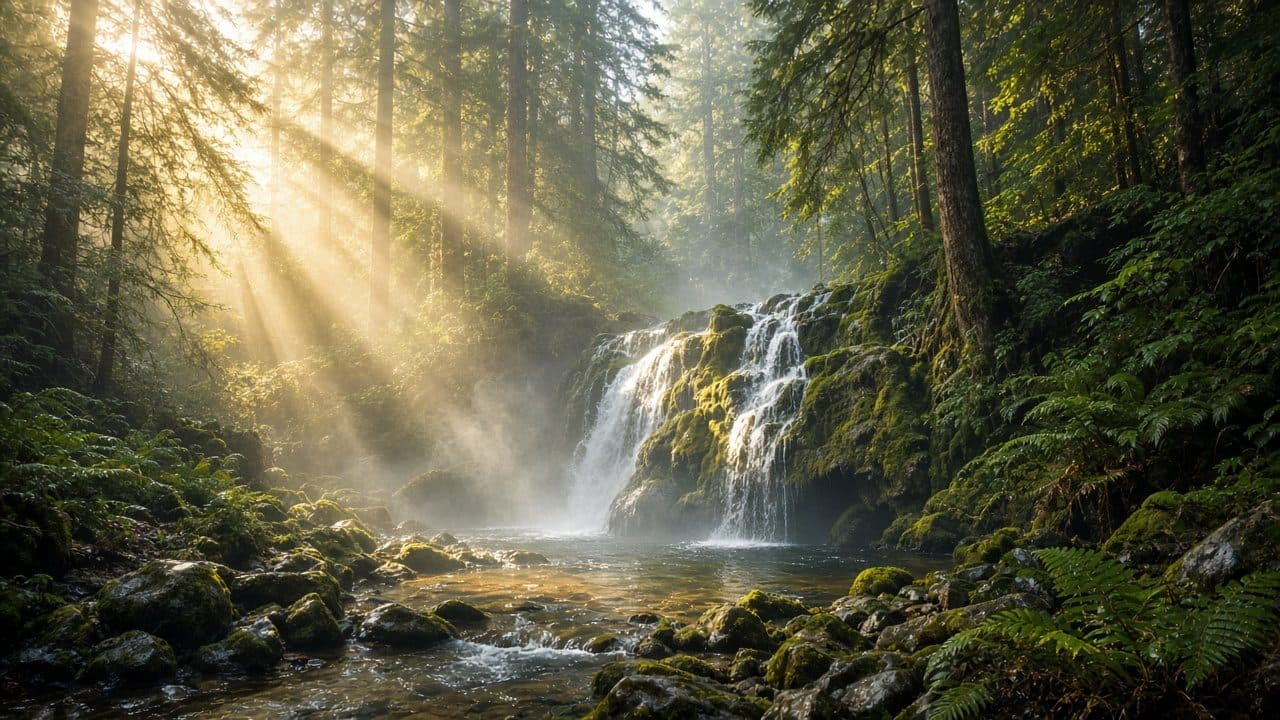
Forest Waterfall Flow“Water flows and splashes over the mossy rocks, mist drifts through the sunbeams, leaves and ferns sway gently, slow camera push-in, photorealistic nature motion, no text, no logos, no watermark” 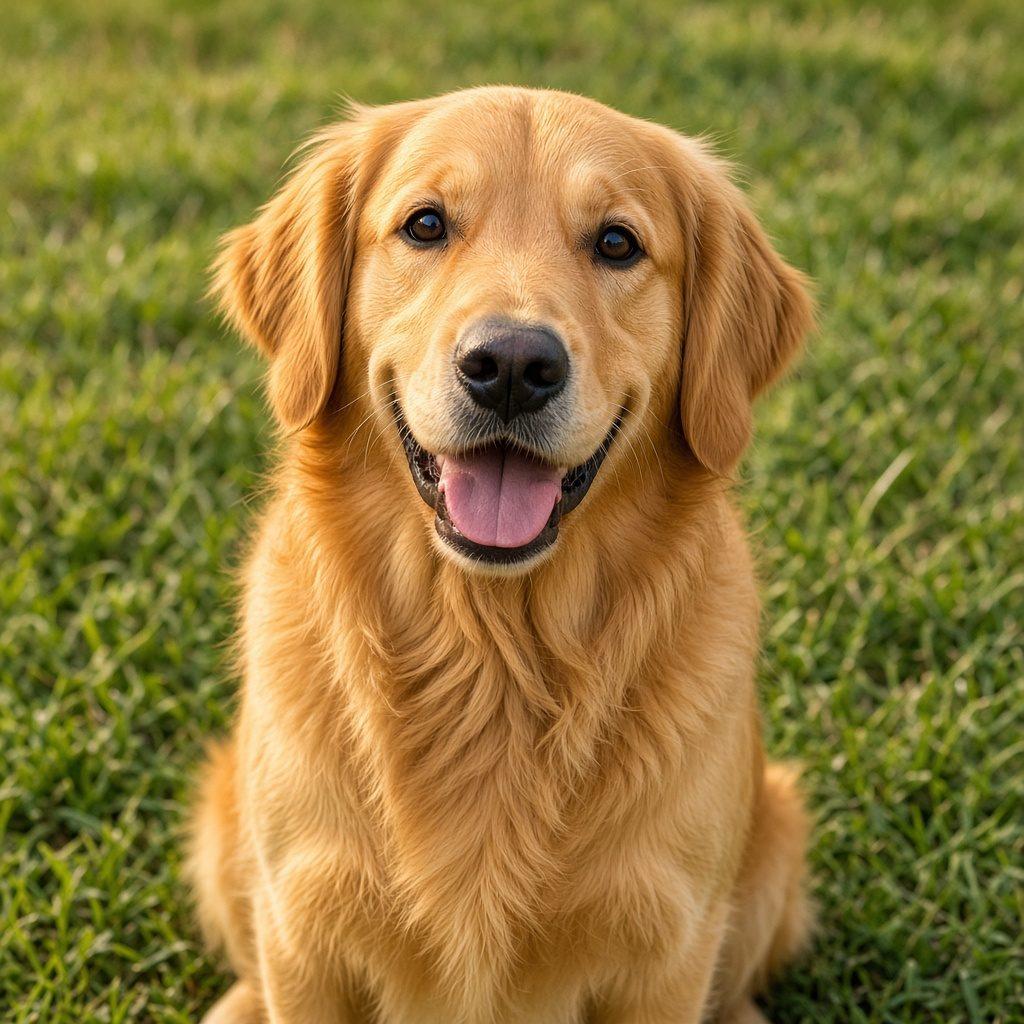
Retriever Portrait Motion“The golden retriever's ears move in a light breeze, it pants with its tongue out, blinks naturally and tilts its head slightly, static camera, photorealistic animal motion, no text, no logos, no watermark”
Make Photo Move: Two Kinds of Motion
Subject motion is anything that moves inside the scene: hair, water, leaves, smoke, a cat’s tail, a person’s eyes. Camera motion is the viewpoint changing while the scene itself may stay still, such as pushing in, pulling back, panning across or circling around.
Many good clips make photo move with one of each, at a gentle pace: “waves roll onto the sand, camera slowly pans right”. Camera motion is the safer choice when a photo has people or fine detail, because the model mostly has to shift the view rather than reshape anything. Subject motion makes a clip feel alive, but the more of it you ask for, the more the model has to invent.
Photos that move well
Good first photos have a clear main subject and something in them that naturally moves.
- Nature and weather: water, clouds, fog, grass, trees, fire or candlelight.
- Pets and animals: a blink, an ear twitch or a flick of the tail is enough.
- Portraits: hair, blinking and a slight head turn, kept small.
- Food and drink: rising steam, a slow pour, bubbles in a glass.
- Places: a slow push-in on a street, a room or a landscape.
Avoid photos that are blurry, very dark, or crowded with small faces and text. The file needs to be a JPG, PNG or WebP of at least 300 pixels on each side.
Photos that tend to fail
If a first clip looks warped or almost still, the photo is usually the reason, not the wording.
| Photo | Why it fails | What to do instead |
|---|---|---|
| A crowd of small faces | Subject motion warps every face, because none of them has enough detail. | Move the camera only, or crop to one person or one animal. |
| The subject is tiny in a wide scene | Gentle motion on something small is invisible, and stronger motion just warps the frame. | Crop closer, or animate a large area such as water, sky or the camera itself. |
| Detailed hand work, such as writing, knitting or eating | Fine finger movement breaks often, even on a sharp photo. | Ask for a blink, steam, fabric or a camera move instead. |
| Low resolution, heavy blur or a dark exposure | The model invents edges that were not in the photo, and the clip flickers. | Use a sharp JPG, PNG or WebP, at least 300 pixels on the short side, with the subject lit. |
| Text, a logo or a screenshot | Letters bend as soon as the camera or the subject moves. | Use a photograph, and keep any writing out of the part that should move. |
Starter prompts
The box above starts with a general prompt you can replace. Use one of these, swap in your own subject, and change only one thing between attempts so you can see what made the difference. If you clear the prompt, the tool uses its own default of natural, subtle motion with a slow push-in.
Camera only
The scene stays still while the camera slowly pushes in, smooth and steady, cinematic
Works on nearly any photo, including ones with people.
Subject only
Leaves and grass sway gently in a light breeze, clouds drift slowly, the camera does not move
Swap in whatever naturally moves in your photo.
One of each
Steam rises slowly from the cup, the camera gently orbits a little to the right
The pattern most finished clips follow: one subject motion, one camera motion.
Pet blink
The animal blinks once and flicks one ear, then settles, the rest of the scene stays still, camera does not move
Name the animal in your own words if the photo does not make it obvious. One small motion is enough.
Shoreline
Small waves wash onto the shore and pull back, the camera pans slowly along the water, people in the frame stay still
If the photo has people in it, telling them to stay still stops the model from animating every face.
Window curtain
A curtain moves slightly in a breeze, dust motes drift in the light, the camera stays fixed
Indoor photos often have nothing else that should move. A curtain is enough.
Make Photo Move: Your First Clip
To make photo move for the first time, upload your photo in the generator. Keep the aspect ratio on Original unless you are posting vertical video, in which case pick 9:16. Paste a prompt, leave the model on Kling 2.5 Turbo Standard and the length at 5 seconds, which costs 1 credit of the 3 you get each day. Press Generate and wait; most clips take one to three minutes. If the motion is too strong, add “slightly” or “slowly”. If almost nothing moves, name the moving thing more clearly. Then run the same prompt on MiniMax Hailuo 02 to see how the two models differ.
Pick a photo with something that wants to move, and give it one motion and one camera move.
Back to the generatorQuestions from first-time users
Do I need to write a prompt?
No. If you leave the prompt box empty, the tool falls back to a built-in prompt that asks for gentle, natural movement and a slow push-in, which suits most photos. Writing your own prompt gives you control over what moves, and even three or four words like “waves roll in” make a difference.
What’s the difference between subject motion and camera motion?
Subject motion is something in the photo moving, like hair, water or an animal. Camera motion is the viewpoint moving, by pushing in, panning or orbiting, while the scene may stay still. Camera motion is easier for the model and safer for faces; subject motion makes the clip feel more alive.
Why does my photo barely move?
Usually the prompt is vague or the photo has nothing that obviously moves. Name the moving thing, such as “her hair”, “the river” or “the candle flame”, and give it a direction or speed. Adding a camera move like “slow push in” usually makes the motion visible. Very busy or very dark photos can also come out nearly static.
Can I make a photo move for free?
Yes. You get 3 credits a day without signing up, and the shortest clip on either model (5 or 6 seconds) costs 1 of them. Downloads are MP4 files with no watermark. Paid plans for people who need more clips are planned but not available yet.